How to track warranties and get reminded before they run out
Most warranties end without anyone noticing. Then the dishwasher starts leaking a month later and the receipt is nowhere to be found. This guide sets up warranty tracking in additem.to. Each item gets an expiry date, a reminder before it ends, and its receipt kept alongside it.
What you need
- additem.to on your iPhone. Everything here works on the free plan, with no account.
- The receipts or order emails for the things you want to track. You can add them as you find them.
Start with the things that would hurt most to replace, such as appliances, laptops, phones, TVs and power tools. Ten minutes covers a handful, and you can add the rest whenever you next buy something.
Step 1: Add a warranty expiry field
additem.to doesn't have a fixed warranty field, so you make one. That way it's called whatever suits you and it works like any other date in the app.
- Open any item, tap Edit, then tap Add Custom Field.
- Choose the Date type and call it Warranty expiry.
You only do this once. From then on the field is there whenever you edit an item in the inventory, and it shows on an item's screen once it has a date in it. The custom fields guide explains the other field types if you want more.
Step 2: Fill in the date
Edit each item and enter the date its warranty ends. If the receipt only gives the purchase date, add the warranty length to it. Most products come with one or two years, and the box or the shop's website usually says which.
Fill in the item's purchase date and price while you're there. They're useful for a claim and for insurance, and they're quick to copy from the same receipt.
Step 3: Turn on a reminder
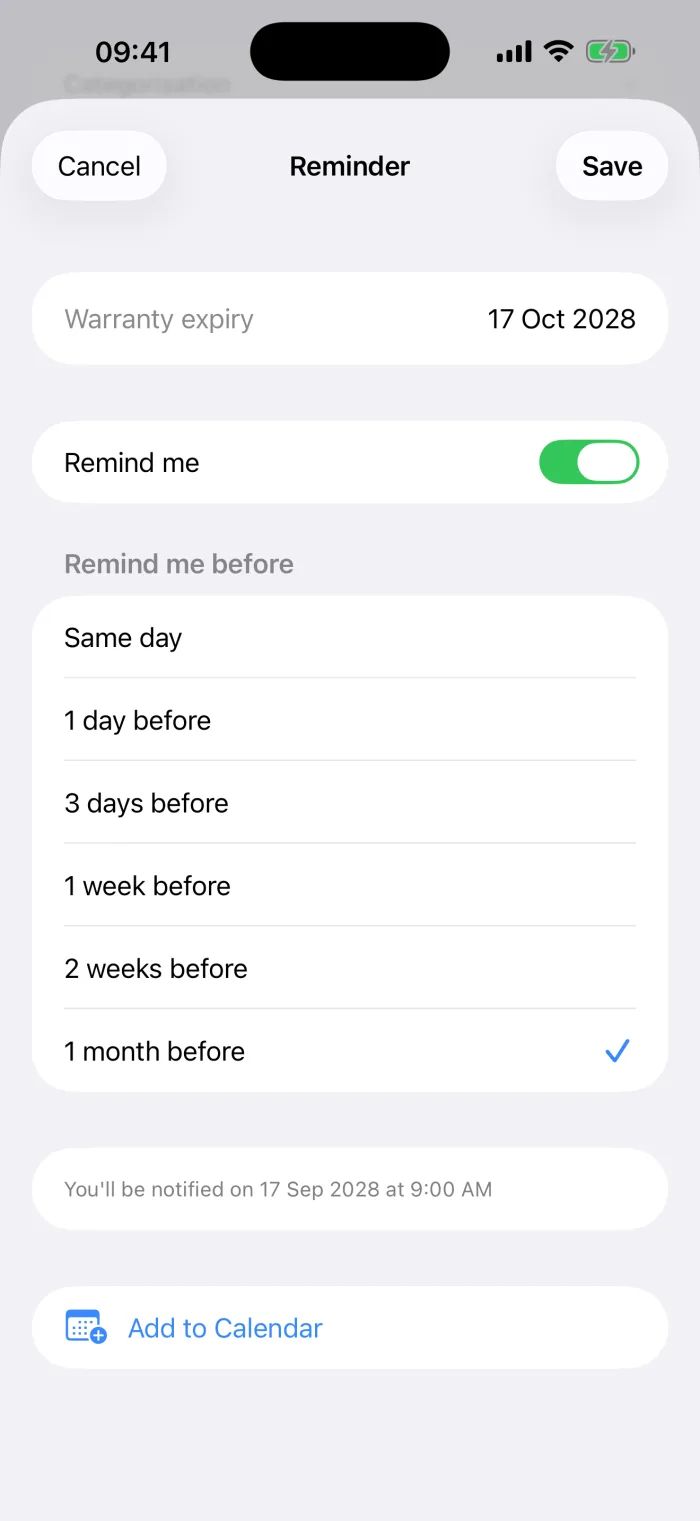
On the item's screen, next to the date, there's a bell. Tap it, turn on Remind me and choose how long before the date you want to hear about it.
- Same day
- 1 day, 3 days, 1 week or 2 weeks before
- 1 month before
The notification arrives at 9am on that day, and the screen tells you the exact date. The first time you save a reminder, your iPhone asks whether additem.to can send notifications. Allow it, or the reminder can't reach you. If you'd rather see it in your calendar too, tap Add to Calendar on the same screen.
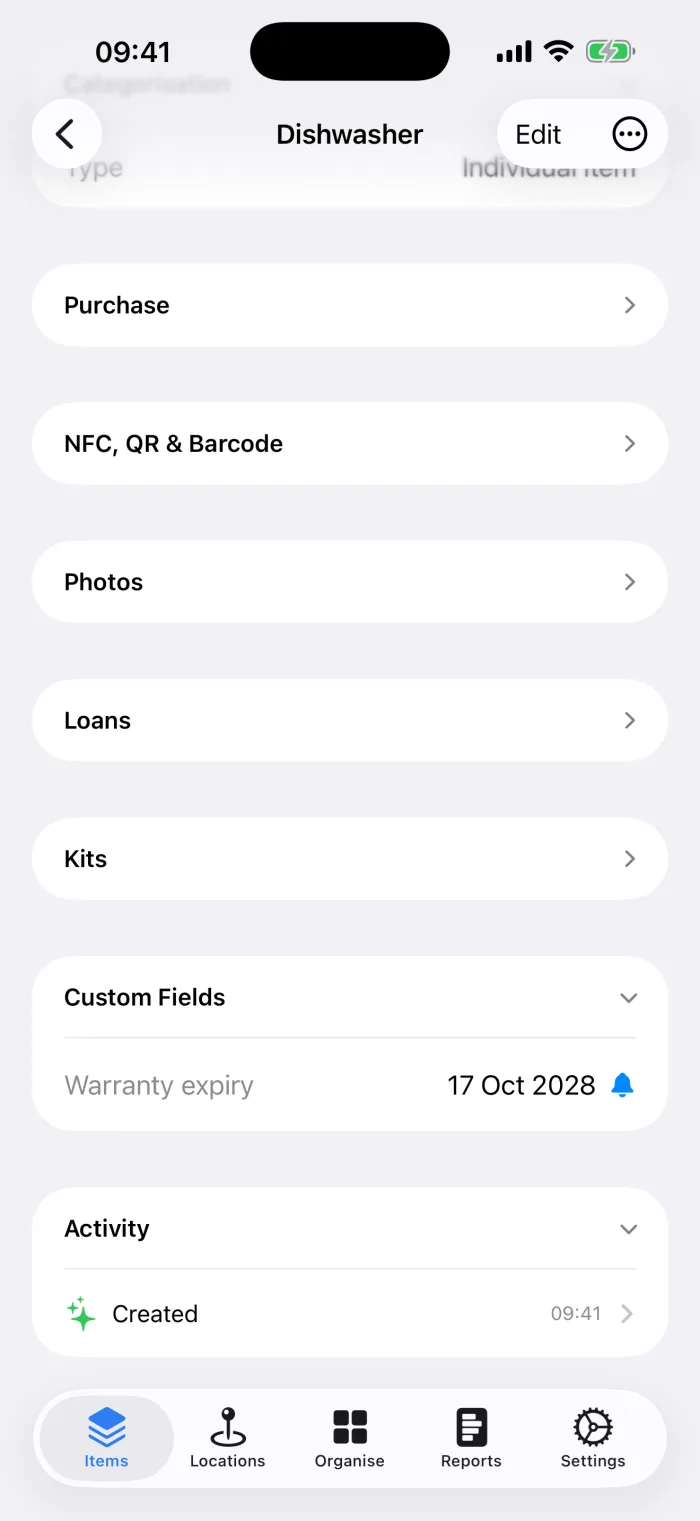
Back on the item, the bell is filled in, so you can tell at a glance which items have a reminder.
One month before is the most useful choice for a warranty. It leaves time to check the thing still works properly, report any fault while you're covered, and decide whether an extended warranty is worth it.
Step 4: Keep the proof with the item
A warranty claim usually needs proof of when and where you bought it. Keep that with the item, not in a drawer.
- Photograph the receipt and add it to the item. Set the photo's type to Receipt, so it's easy to find among the item's other photos.
- For an online order, take a screenshot of the order confirmation and add that instead.
- Let AI read the receipt. Update with AI on an item reads a receipt photo and fills in the price, the date and the shop for you to check. If the item has a text field called Warranty, it puts any warranty wording from the receipt there. It doesn't work out the expiry date, so Step 2 is still yours. The AI scanning guide shows how it works.
- Add the serial number to the item's Serial Number field. Manufacturers often ask for it.
Seeing what's coming up
Every reminder you've set is listed in Settings, under Reminders, grouped by inventory. Each one shows the item, the date field and when you'll be reminded. It's the quickest way to check what's running out soon without opening each item.
When a warranty ends, the bell on that item shows a line through it. The date and the receipt stay, which is still useful for insurance and for selling the item later.
A few tips that help
- Do it when you unpack. Adding the item, its receipt and its warranty date takes a minute while the box is still out. Months later, it takes a search through your emails.
- Track other dates the same way. A boiler service, an MOT, a fire extinguisher check or a battery replacement each work as a date field with a reminder.
- Keep warranty contacts too. An Email or URL field holds the manufacturer's support address or the registration page, so you're not hunting for it on the day.
- Insure it as well as track it. The same purchase price, serial number and receipt photo make an insurance claim much easier. The insurance guide covers the rest.
additem.to is a free iPhone app for keeping track of what you own. Custom fields, reminders and receipt photos are all on the free plan, with no account and no item limit.
Download on the App Store