How to catalogue a trading card collection
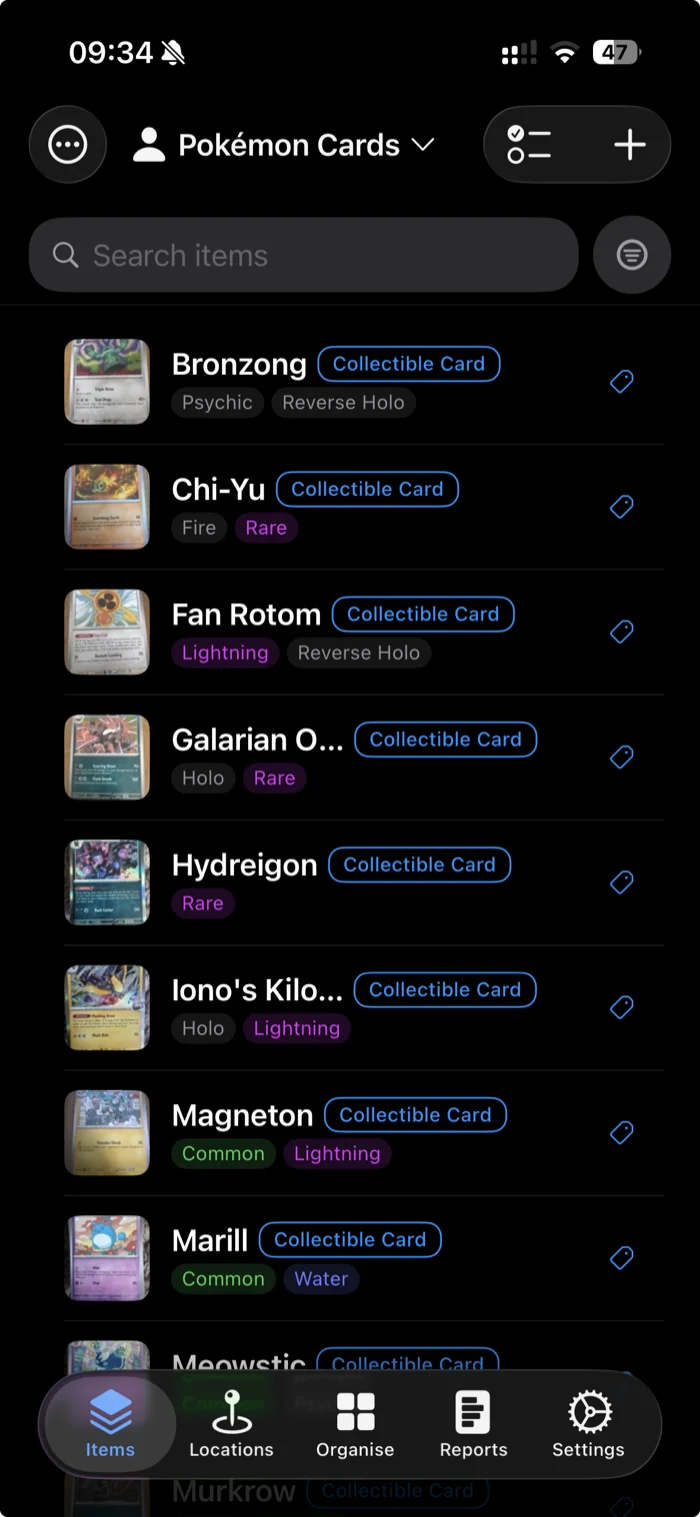
Pokémon, sports cards, Magic, Yu-Gi-Oh. A collection grows faster than you can keep track of it. This guide shows how to catalogue one on your iPhone by adding cards quickly with AI, tagging them by set and rarity, and tracking what each is worth.
Why a notes app or spreadsheet stops working
A handful of cards is easy to remember. A few hundred is not. Once a collection grows, three problems show up. You buy a card you already own, you lose track of what a set is worth, and you can't quickly find a specific card among the rest. A note on your phone or a spreadsheet handles the first fifty cards and then quietly falls behind.
A proper inventory fixes this by keeping a photo, the details, and the value of every card in one place you can search and filter.
Add cards fast with AI scanning
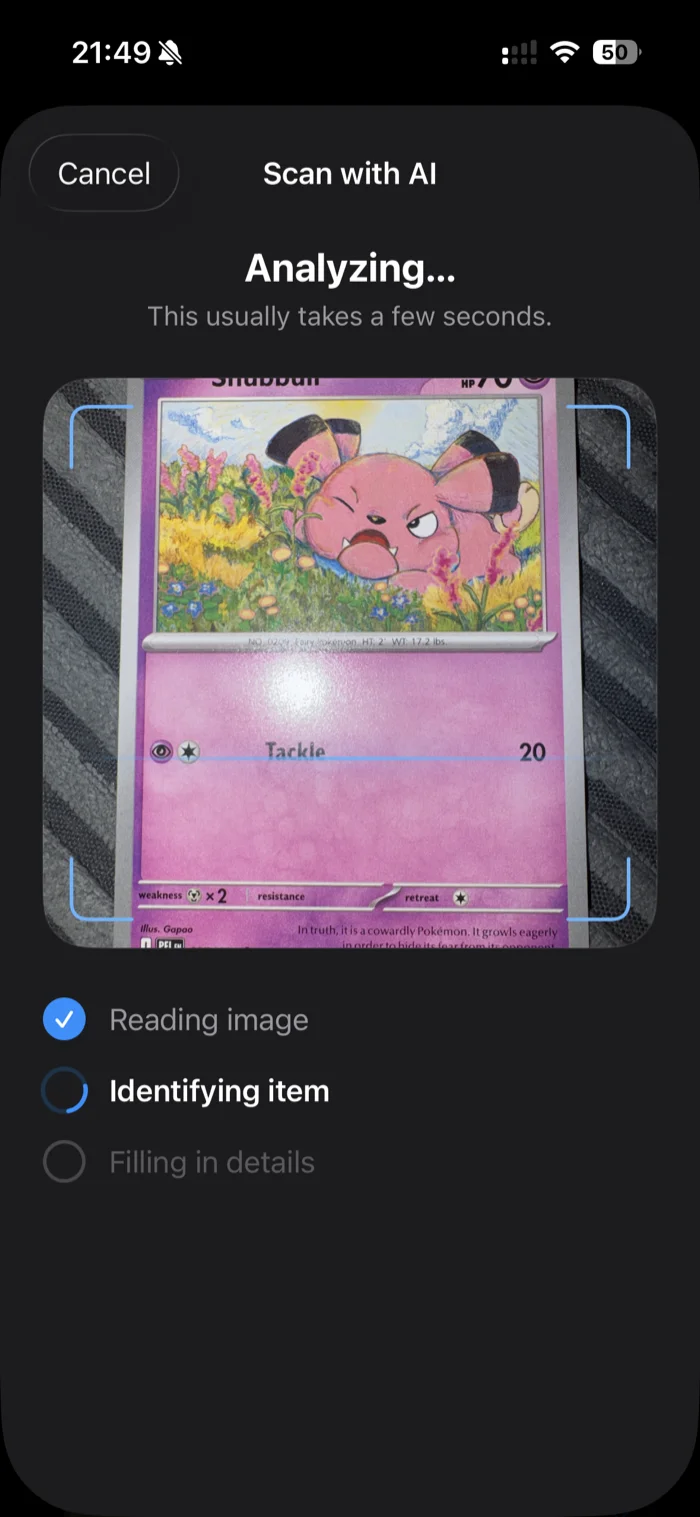
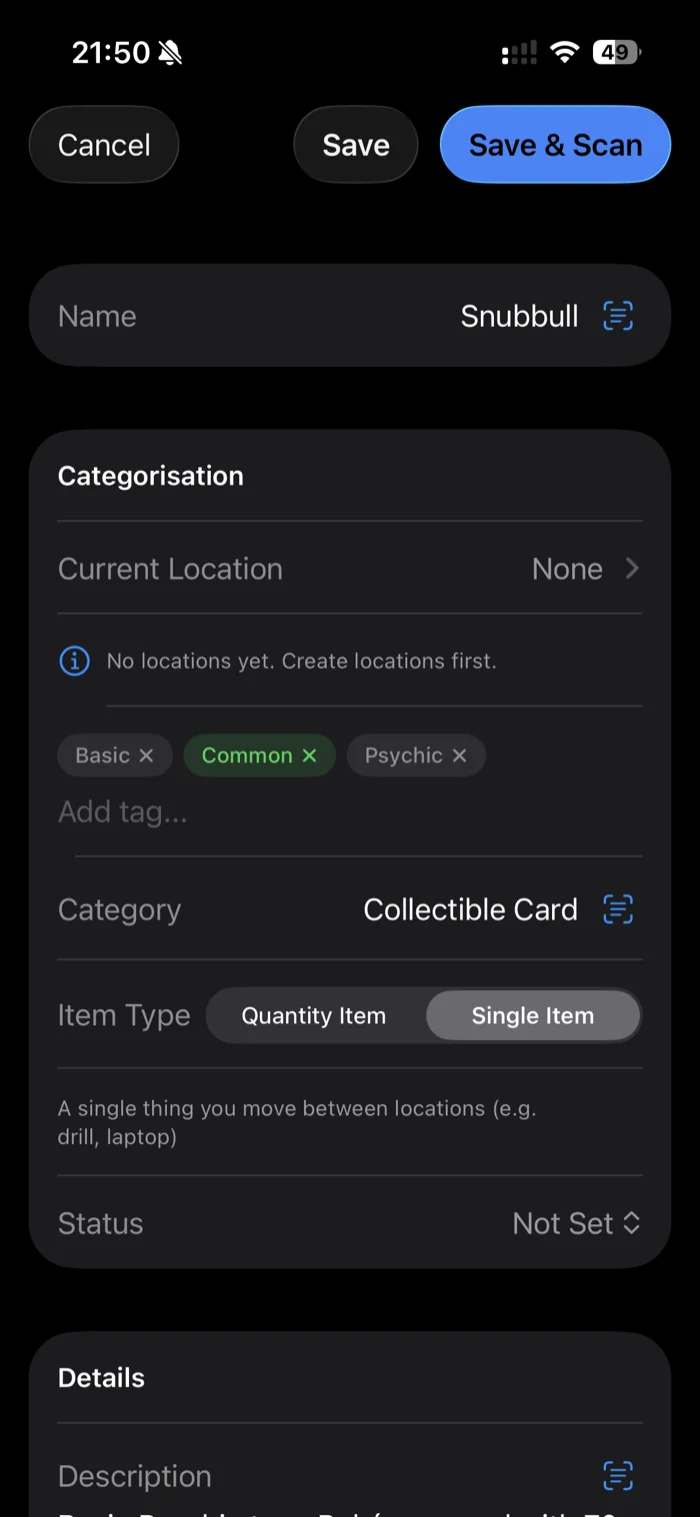
Typing out every card is the slow part, and it's why most collections never get fully catalogued. additem.to can read a card from a photo instead. Point your iPhone camera at it and the AI suggests the name, a category like Collectible Card, a short description, and tags such as the card's type and rarity. You review what it found in the normal item form and save. Nothing is added without your say-so.
Scan a Snubbull and it comes back named, categorised, and tagged Psychic, Basic and Common, ready to save. The free tier includes 25 AI scans to try the feature. Pro Local includes 200 a month and Pro Cloud 1,000 a month. For a full walkthrough, see the AI item scanning guide.
Tag by set, rarity, and type
Tags are how you slice a large collection. Set up tags for the things you actually search by. That could be rarity (Common, Rare, Holo, Reverse Holo, Full Art), the card's type or team, the set name, or a status like Duplicate or For Trade. Every card can carry several tags, so you can filter the list to every Holo you own, or everything marked for trade.
The free tier includes up to 25 tags per inventory, which is plenty for a rarity and type system. Pro Local and Pro Cloud remove the limit if you want a tag per set.
Track condition and value with custom fields
The built-in fields cover the basics, but a card collection has its own details worth recording. Custom fields let you add exactly what you track, such as grade, set number, purchase price and market value. Fill them in per card and you have a record you can total up, insure or sell from.
When you need to share or prove what the collection holds, export it to a PDF report or CSV. That is the same record an insurer or a buyer will want to see.
Keep each collection in its own inventory
You are not limited to a single list. Create a separate inventory for each collection, such as Pokémon in one, sports cards in another, and LEGO or coins in their own. Different sets never get mixed together, and each stays easy to browse. The free tier includes one inventory to start with. Pro Local and Pro Cloud include unlimited inventories, which you will want once you collect more than one thing.
Photograph every card
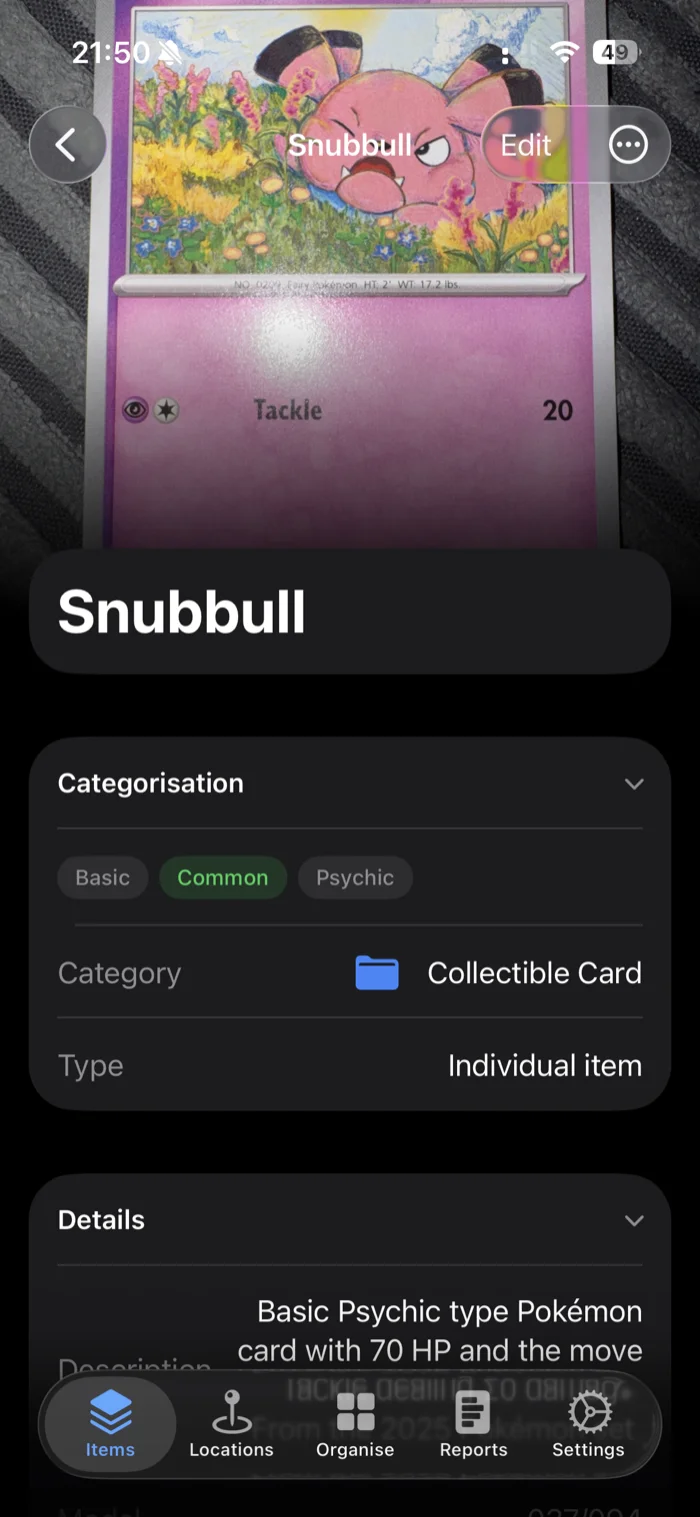
A photo does two jobs. It proves the condition of the card at the time you logged it, which matters for insurance and resale, and it makes the collection far quicker to browse. You recognise a card by its picture long before you read its name. A clear, well-lit photo of the front is enough for most cards. Add the back as a second photo for anything valuable.
Find duplicates and gaps
Once cards are tagged and photographed, the collection answers questions you couldn't ask before. Search a name before you buy to check you don't already own it. Filter by a set to see how close you are to completing it. Tag the spares Duplicate or For Trade so you can pull up your trade pile in seconds at the next meetup.
It works offline, with no account
Cataloguing happens wherever your cards are, whether that's a table, the floor, a card shop or a show, often with no signal. additem.to stores everything on your iPhone and works fully offline, with no account needed to start. If you want your collection backed up and synced across devices or open in a web browser, Pro Cloud adds that, but the core app never depends on it.
additem.to is a free iPhone app for cataloguing what you own. Scan cards with AI, tag them by set and rarity, track condition and value, and keep each collection in its own inventory.
Download on the App Store