Free home inventory app for Android: how to get started
You can build a full record of what you own, and where it is, on your Android phone without paying anything or signing up. Here's how to start, and what the free app does and doesn't include.
On an iPhone? The iPhone guide covers the same steps there.
What free means here
additem.to is free on Google Play for Android 8.0 and later. "Free" can mean a lot of things in an app store, so here's exactly what it means for us.
- No account. Open the app and add your first item. There's no sign-up screen and no email address to give.
- No item limit. Add as many items and locations as you like. A full house with the loft and the garage often runs to several hundred.
- No ads. Not on the free plan and not on the paid ones.
- No expiry. The free plan isn't a trial. Nothing switches off after 14 days.
- Works offline. Your inventory is stored on your phone, so it works in a loft or a shed with no signal.
Photos (up to 10 per item), serial numbers, NFC, QR codes and barcodes, lending, reports, CSV import and export, stocktake and reminders are all free. The free plan has one inventory, up to 5 custom fields, 25 item tags, 2 kits and 2 item templates. For one home on one phone, most people never reach those.
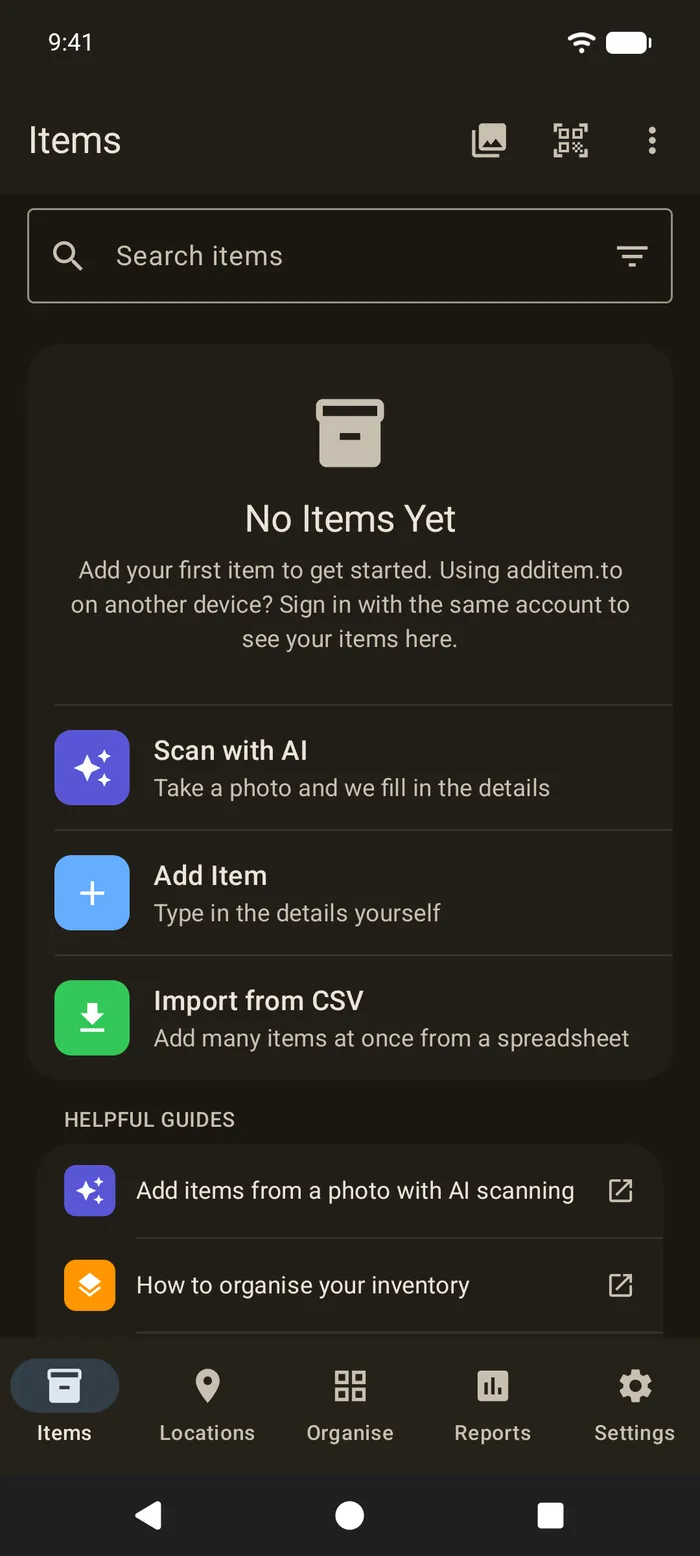
Add your first items
Don't try to do the whole house in one go. Pick one room and give it 20 minutes.
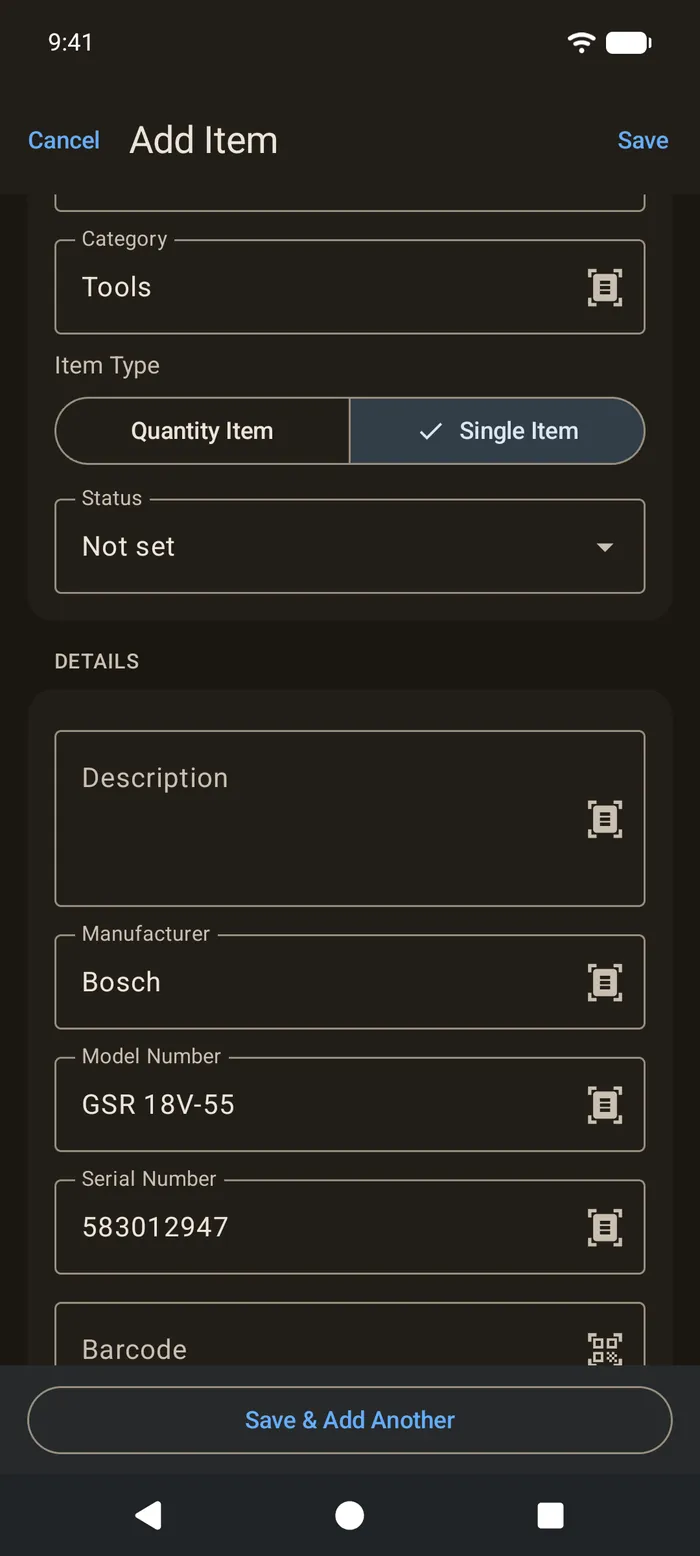
Tap Add Item. Give it a name, and add whatever you know. The useful extras are the location, the category, the manufacturer, the model and the serial number, plus the purchase date and price if you have them. A photo and a rough value is far better than no record at all, so don't let a missing receipt stop you.
Save & Add Another keeps you in the form, which is quicker when you're working through a room.
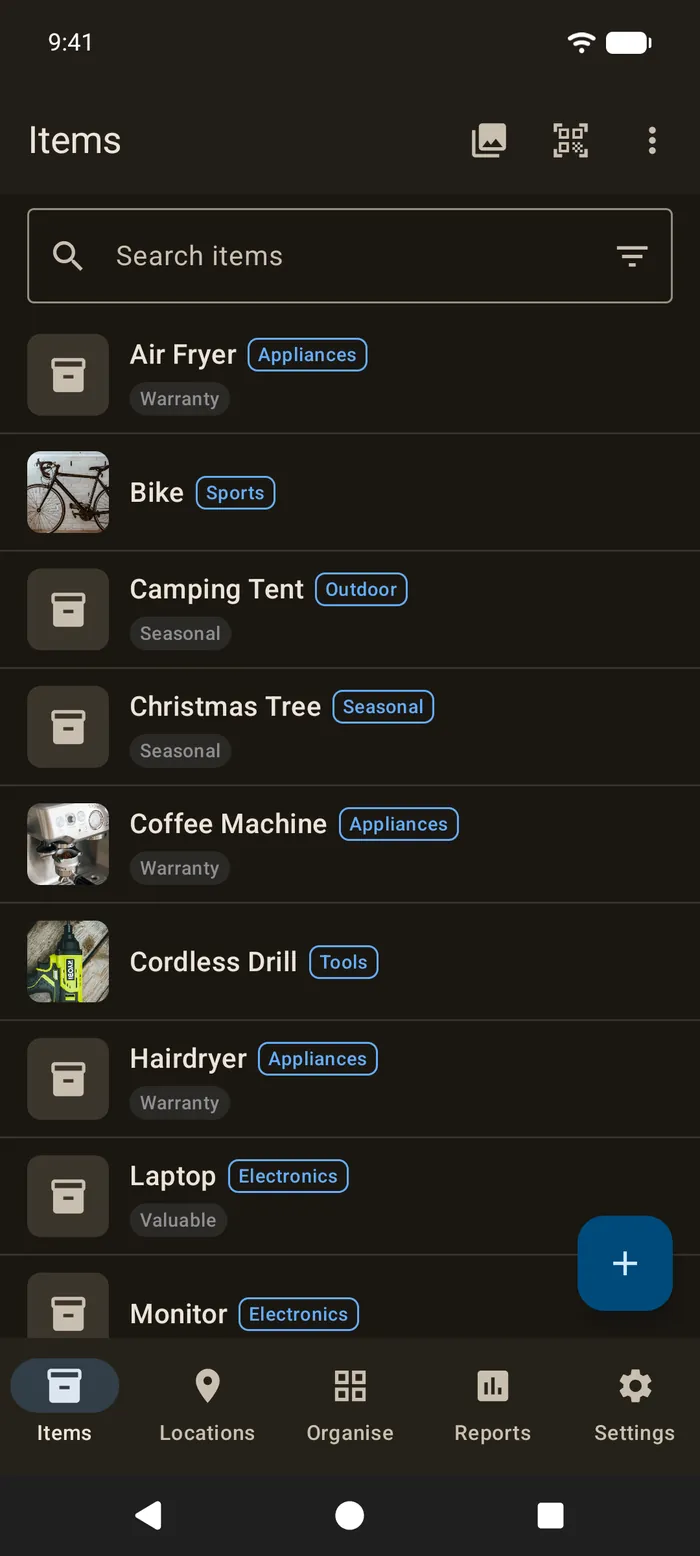
What to record first
Not everything needs a detailed record. Start with the things that are expensive, easy to steal or hard to replace.
- Electronics. Laptops, tablets, cameras, TVs and consoles. Serial numbers matter for insurance and for a police report.
- Appliances. The model and serial number help with warranty claims and repairs. The warranty guide shows how to get a reminder before one runs out.
- Bikes. Photograph the frame number as well as the bike.
- Tools. Power tools add up, and they're easy to forget in a claim.
- Jewellery and watches. A photo and a rough value at least. A valuation for anything that matters.
For clothes, books and kitchenware, one item per group with an estimated total is usually enough for insurance. The insurance guide goes through it room by room.
Photos are your proof
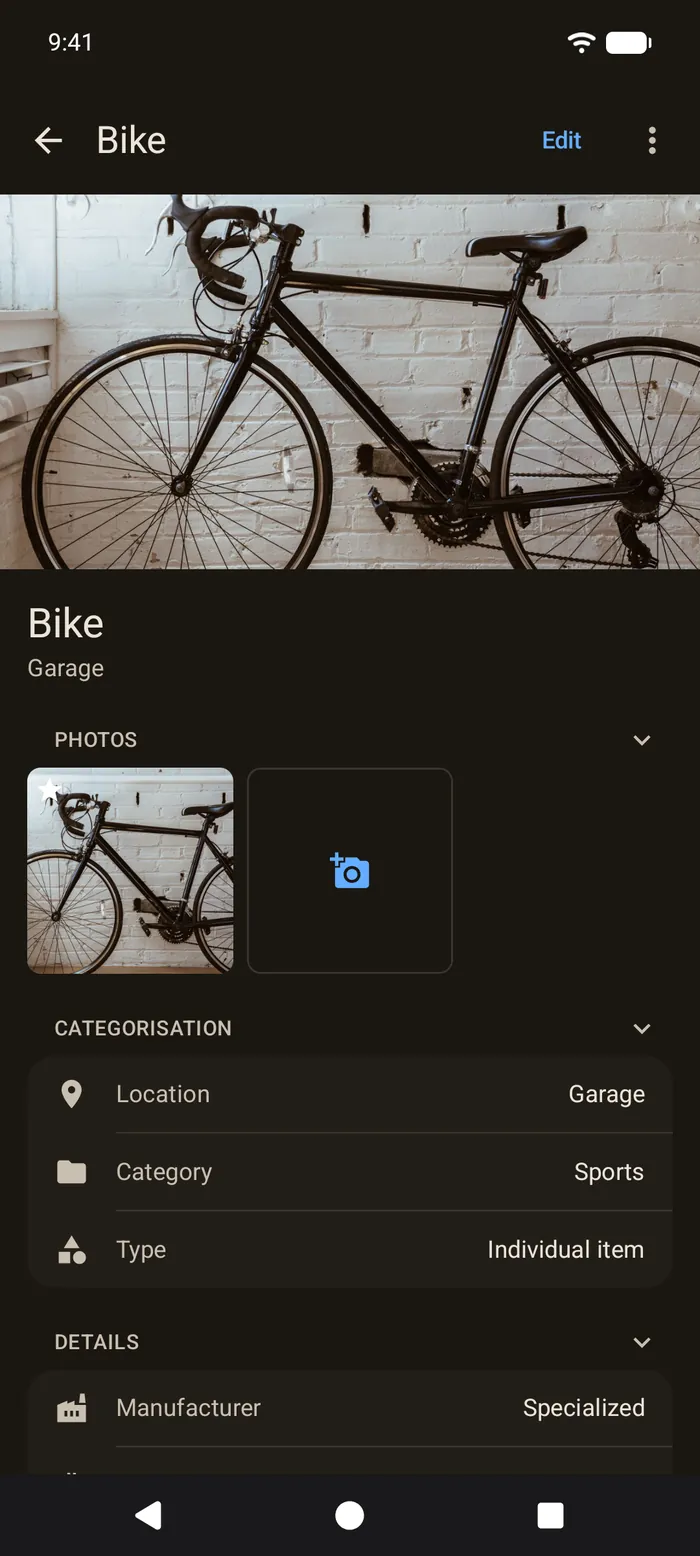
A clear photo is the best proof that you owned something and what condition it was in. Tap Add Photos on an item to take one with the camera or choose one from your phone. The first photo becomes the item's picture in the list.
A photo of the label with the serial number on it is worth taking too. It's quicker than typing the number, and it's harder to get wrong.
Rooms, shelves and boxes
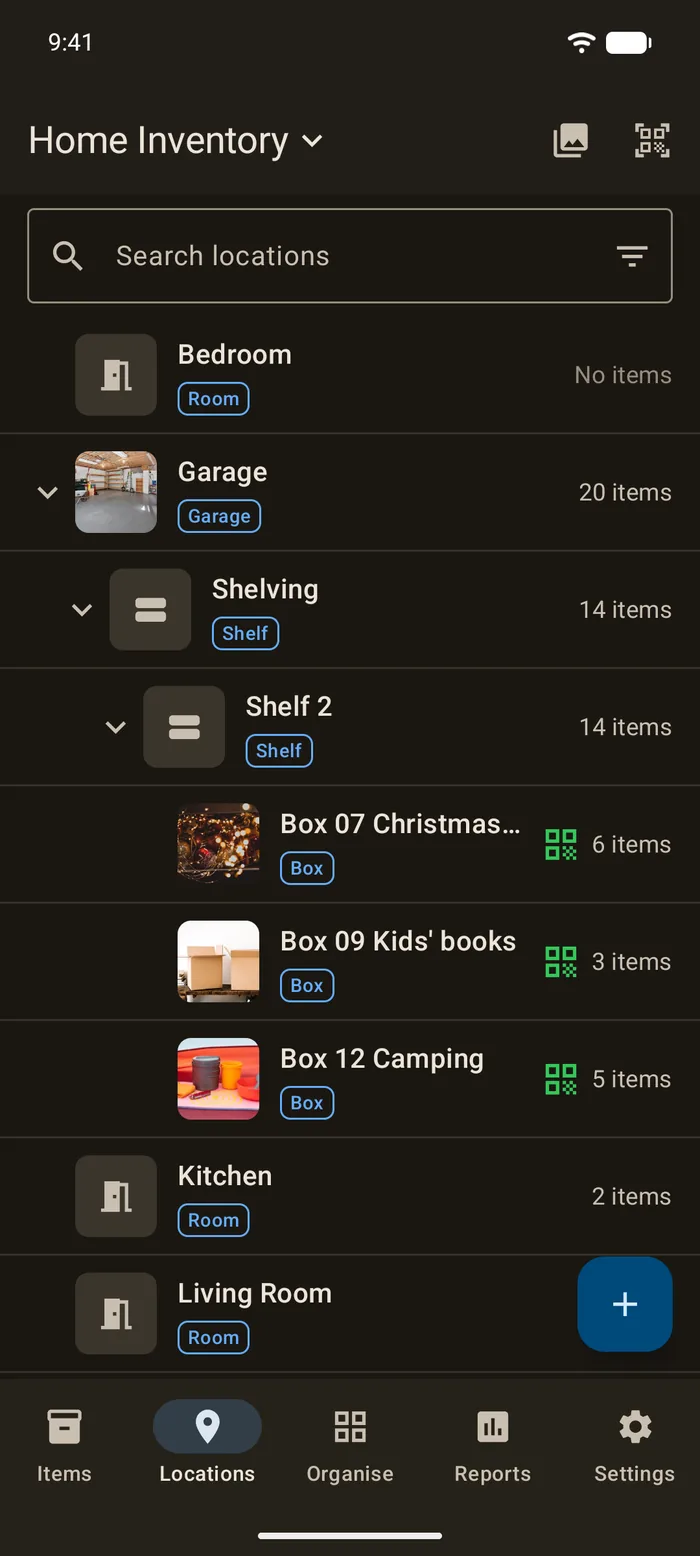
Locations are what turn a list into something that tells you where things are. Make one for each room, then put smaller places inside them. Garage can hold Shelving, Shelving can hold Shelf 2, and Shelf 2 can hold the boxes on it. There's no limit on how deep that goes.
Then "where did I put the camping gear?" is a search, not a memory test. For boxes in the loft or garage, the storage boxes guide shows how to label each one and list what's inside.
Already have a list?
If you've started a spreadsheet, you don't need to type it in again. Save it as a CSV and tap Import from CSV. Only a Name column is needed. The app matches your other columns, such as location, category, serial number and price, and makes any locations and tags that don't exist yet. Import and export are both free. See importing from CSV.
NFC tags, QR codes and barcodes
Most Android phones have NFC, usually in the middle of the back. Stick a tag on a shelf or a box, and holding your phone to it opens that place in the app. If your phone has no NFC, a printed QR label does the same with the camera, and the app reads product barcodes too. All of it is free. See NFC and QR tags for which stickers to buy, and printing labels to make your own.
Lending things out
If you lend tools or gear to friends and family, record it on the item, with who has it and when it's due back. You can ask for a reminder before the return date. The item shows as lent out until it comes back. See tracking loans.
Adding items from a photo with AI
If typing feels slow, AI item scanning can fill in the form for you. Take a photo and it suggests the name, brand, model, category and your custom field values. You check everything before it saves.
AI scanning is part of the paid plans, and it's the one thing here that isn't free. Everything else in the app runs on your phone, so it costs us nothing when you use it. AI scanning is different. The photo is sent to OpenAI to be read, and OpenAI charges us for every scan. So we give every account 25 scans, once, to try it and see if it's worth it for you. After that, Pro Local includes 200 scans a month and Pro Cloud 1,000.
You choose to use it each time, and you need to be signed in. The photo goes to OpenAI with a few details of your inventory, like its name and its category and field names. OpenAI doesn't use them to train its models.
Your inventory stays on your phone
Without an account, we receive nothing. No item names, no counts and no analytics. If you want to be sure, turn on Local Only Mode in Settings. It hides sign-in, AI scanning and sync, and stops the app connecting to our servers at all. See a private home inventory app.
Back up now and then by exporting a CSV from Settings. It's yours to keep wherever you like.
When it's worth paying
For one person tracking one home on one phone, the free plan is usually enough. The paid plans are for when it isn't.
- Pro Local (£9.99 a year) removes the free plan's limits, so you get as many inventories, custom fields, tags, kits and templates as you need, with 200 AI scans a month. Apart from AI scanning, it needs no account.
- Pro Cloud (£4.99 a month) adds sync between Android, iPhone, iPad and the web app, and sharing with up to 5 people, with 1,000 AI scans a month. It's the one to choose if someone in your home has an iPhone.
Both are sold on Google Play. Prices may vary by country, so check Google Play for yours. See pricing for everything each plan includes.
additem.to is free on Android and iPhone, with no account, no ads, no item limit and no expiry. Add items, photos, serial numbers and rooms, and find anything in seconds.
Download on the App Store Get it on Google Play