One account on iPhone, Android and the web
Your plan belongs to your additem.to account, not to your phone. Here's how to open the same account on an iPhone, an Android phone and the web, and what happens if you've ended up with two.
You only pay once. Pro Local or Pro Cloud bought on your iPhone works in the Android app and the web app too, and a plan bought on Android works on your iPhone. What has to match is the account. Billing and cancelling stay with the store you bought from, which is the App Store, Google Play or the web.
Which sign-in each app uses
- iPhone and iPad sign in with Apple.
- Android signs in with Google.
- The web app at app.additem.to takes either.
We know you by the ID Apple or Google gives us, not by your email address. So Sign in with Apple on your iPhone and Sign in with Google on Android make two different accounts, even when the email is the same. With Hide My Email on your Apple ID, the addresses don't even look alike. Connecting both sign-ins to one account puts that right.
Sign in on your phone by scanning a QR code
From version 3.15.4 of the app, your phone can sign in to your account without the matching button. The web app shows a QR code, you scan it in the app, and the phone is signed in to the same account, however you made it. So an account made with Google opens on an iPhone, and one made with Apple opens on an Android phone.
- On a computer, go to app.additem.to and sign in.
- Choose Sign in on your phone. It's on the dashboard, and in Account under Connected accounts.
- On your phone, open the app, go to Settings and tap Scan a code from your computer.
- Point the phone at the QR code. It works for two minutes and only once. If it runs out, choose Show a new QR code.
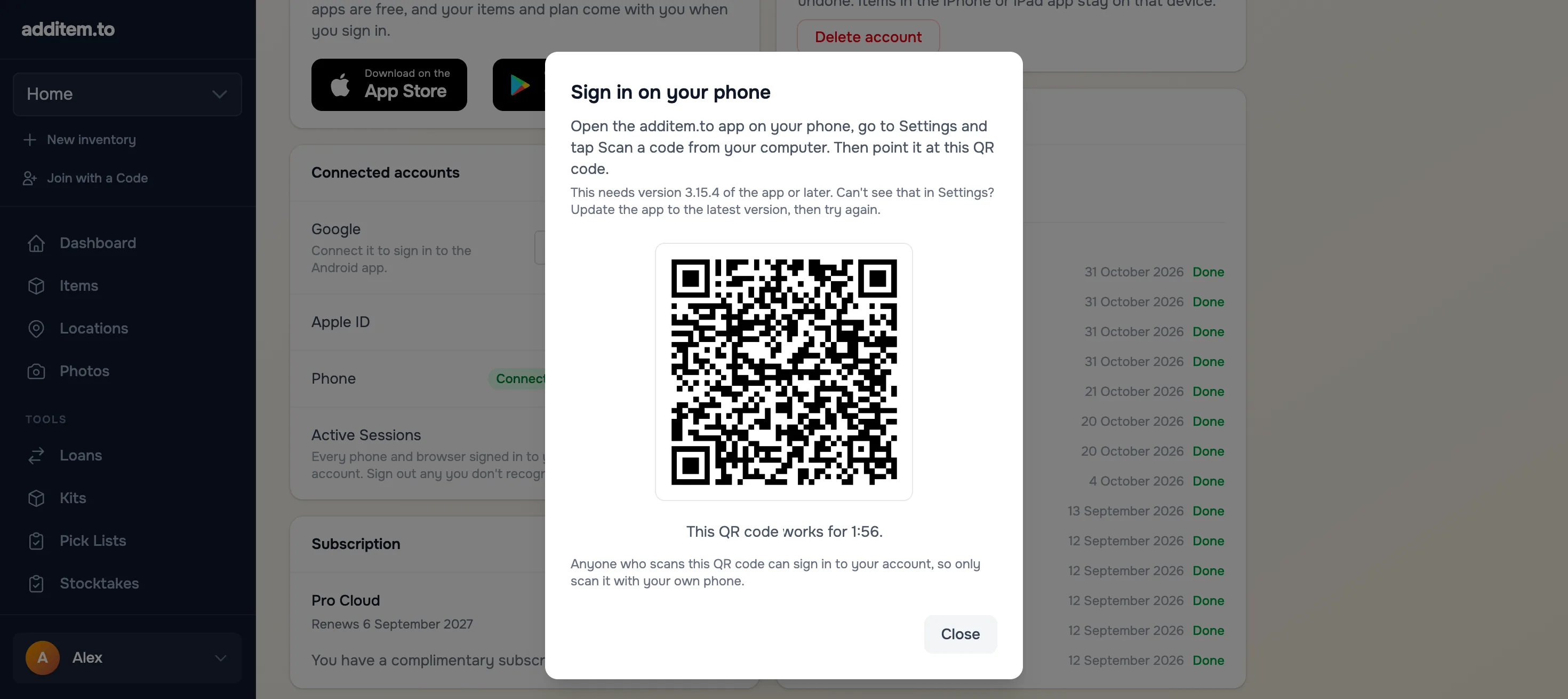
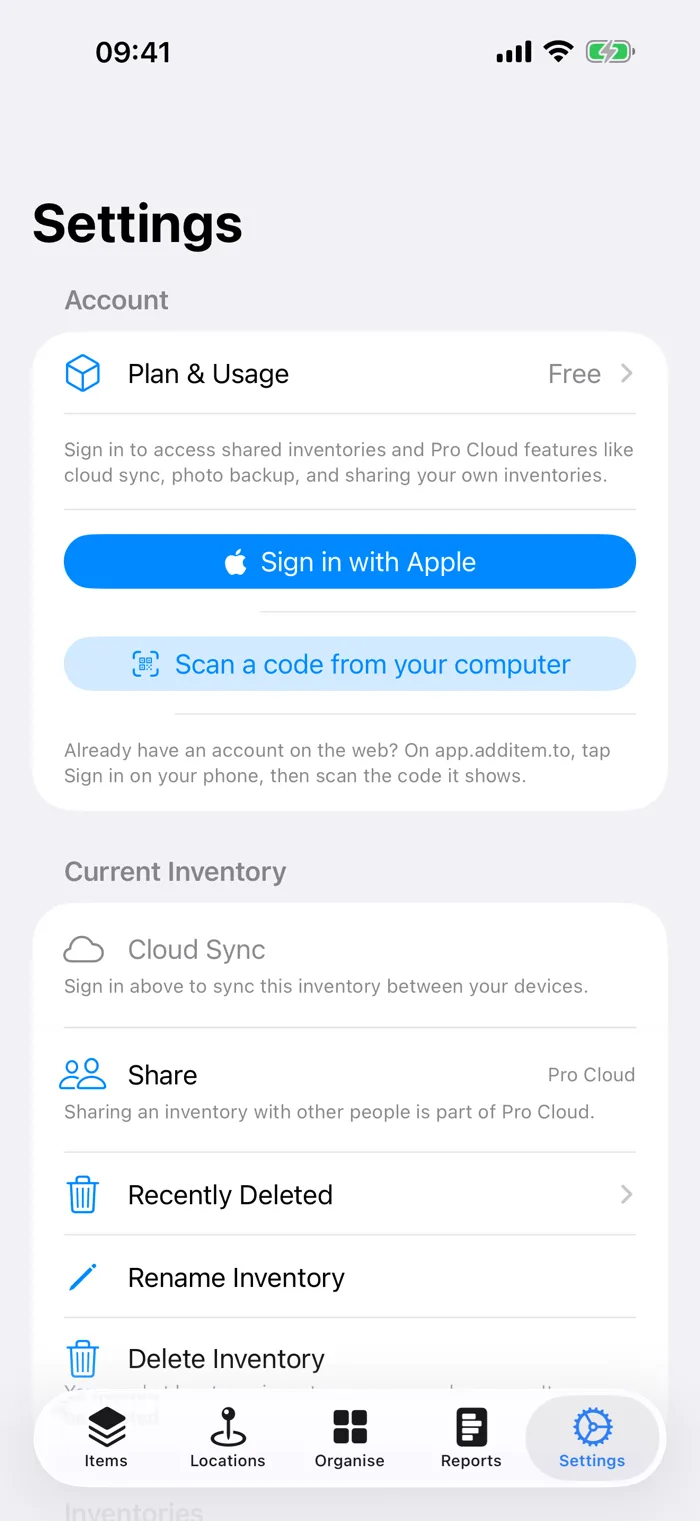
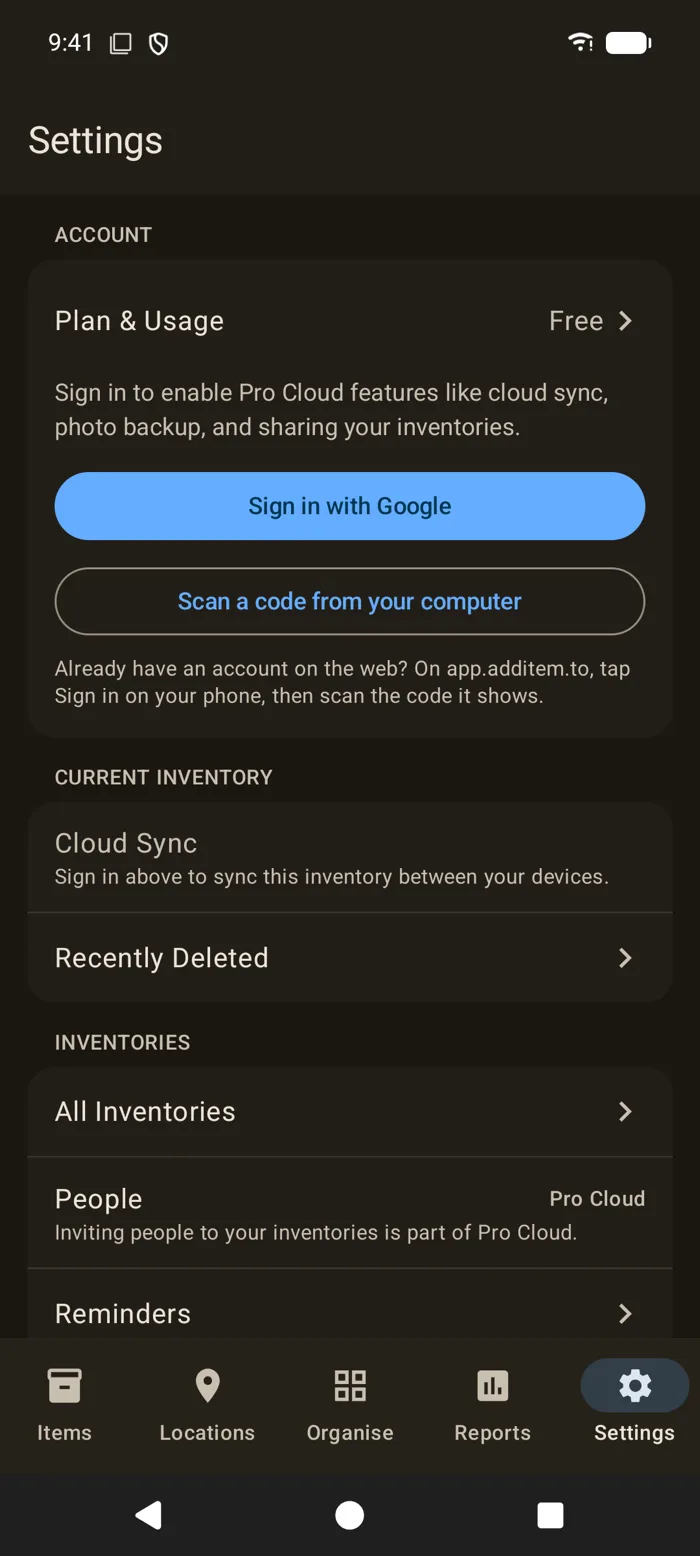
Anyone who scans the QR code is signed in to your account, so only scan it with your own phone. The phone then appears under Active Sessions on the web, where you can sign it out again.
A QR code signs that phone in and nothing more. It doesn't connect Apple and Google to each other, so the matching button on that phone would still make a separate account. On an iPhone signed in this way, Delete Account sends you to the web app, because the app can't confirm it with Apple.
Connect Apple and Google to one account
Scanning a QR code gets one phone in. Connecting is for when you want each phone's own button to open the same account. You do this once, in a web browser.
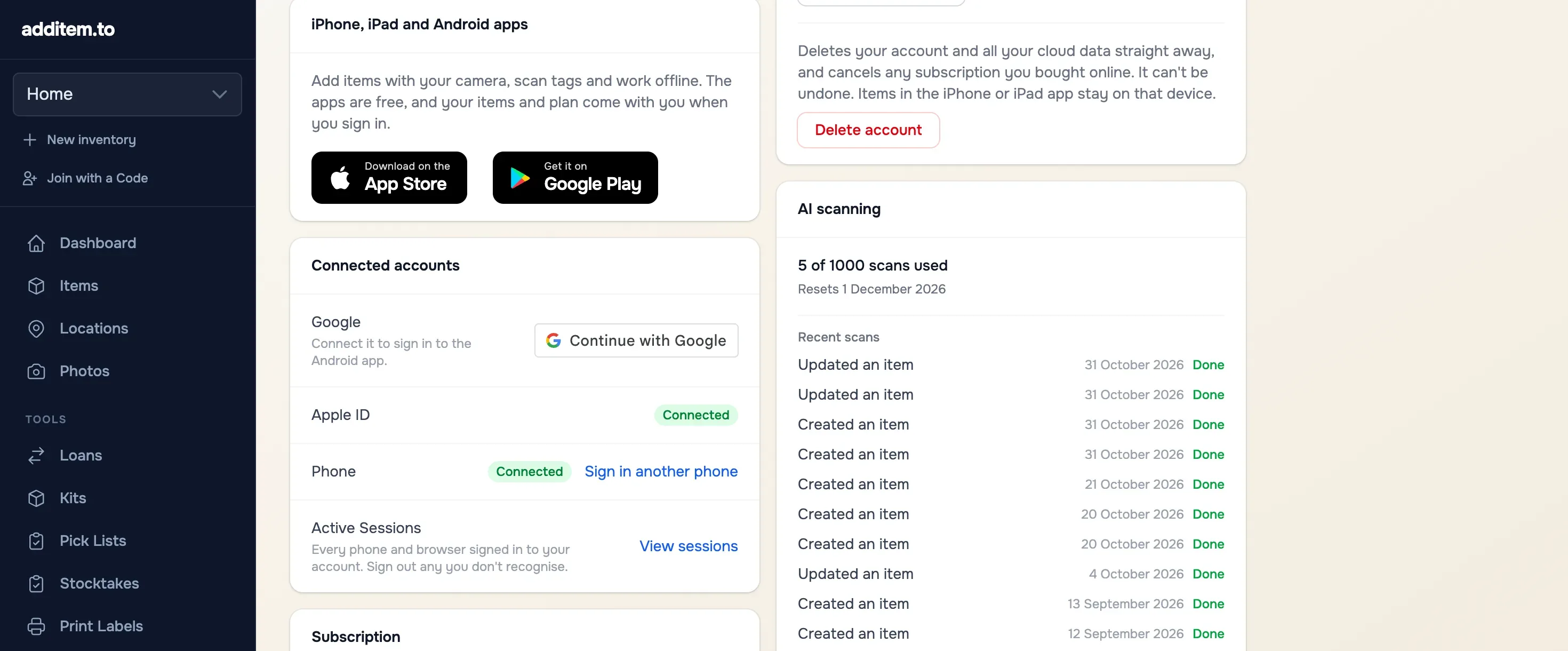
- Go to app.additem.to and sign in with the account that has your plan. If you bought it on your iPhone, choose Continue with Apple. If you bought it on Android, choose Continue with Google.
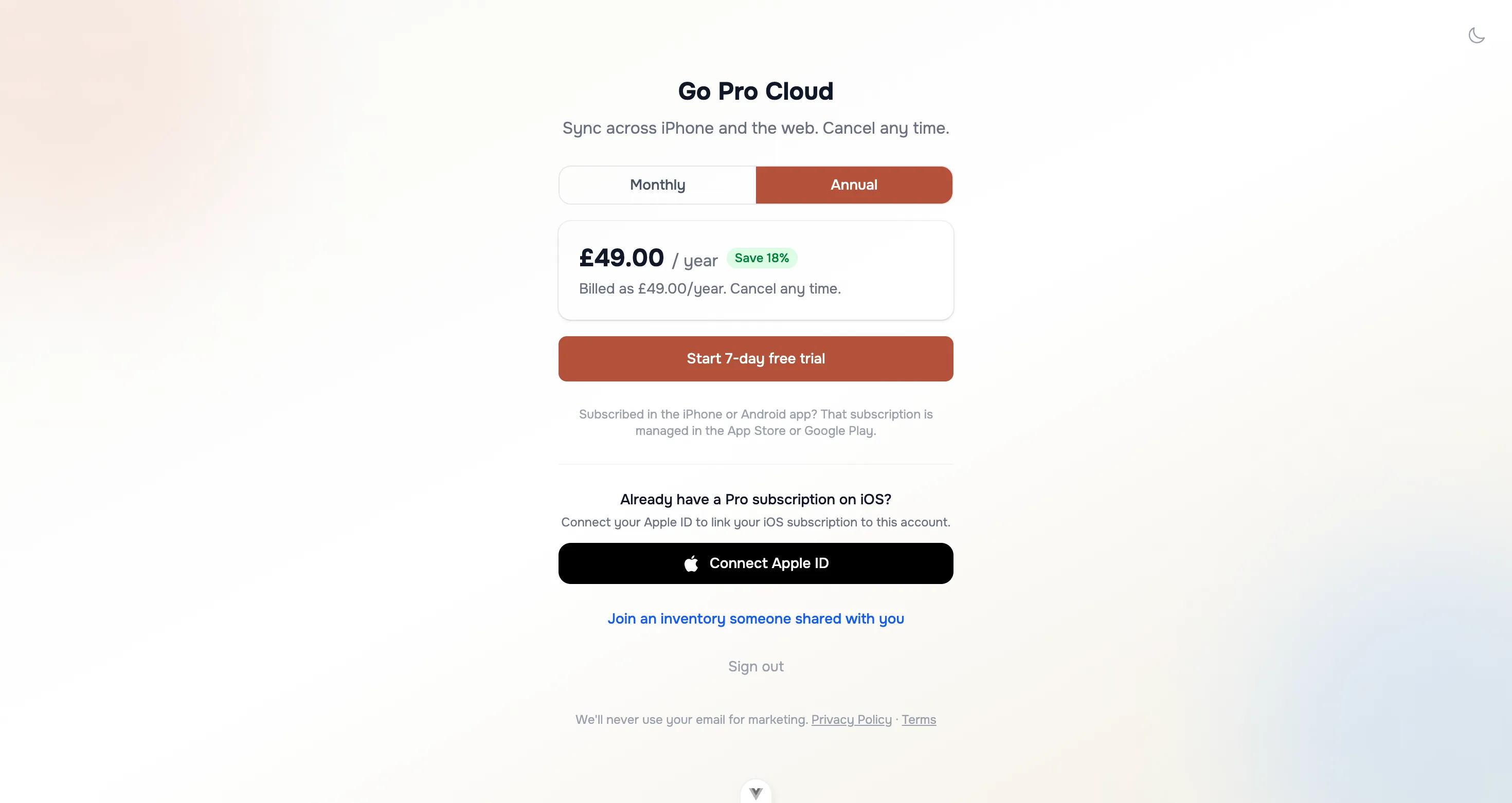
- With Pro Cloud, open Account and find Connected accounts. Without Pro Cloud, the web app opens the subscribe page, which has the same options under Using the Android app? and Already have a Pro subscription on iOS?
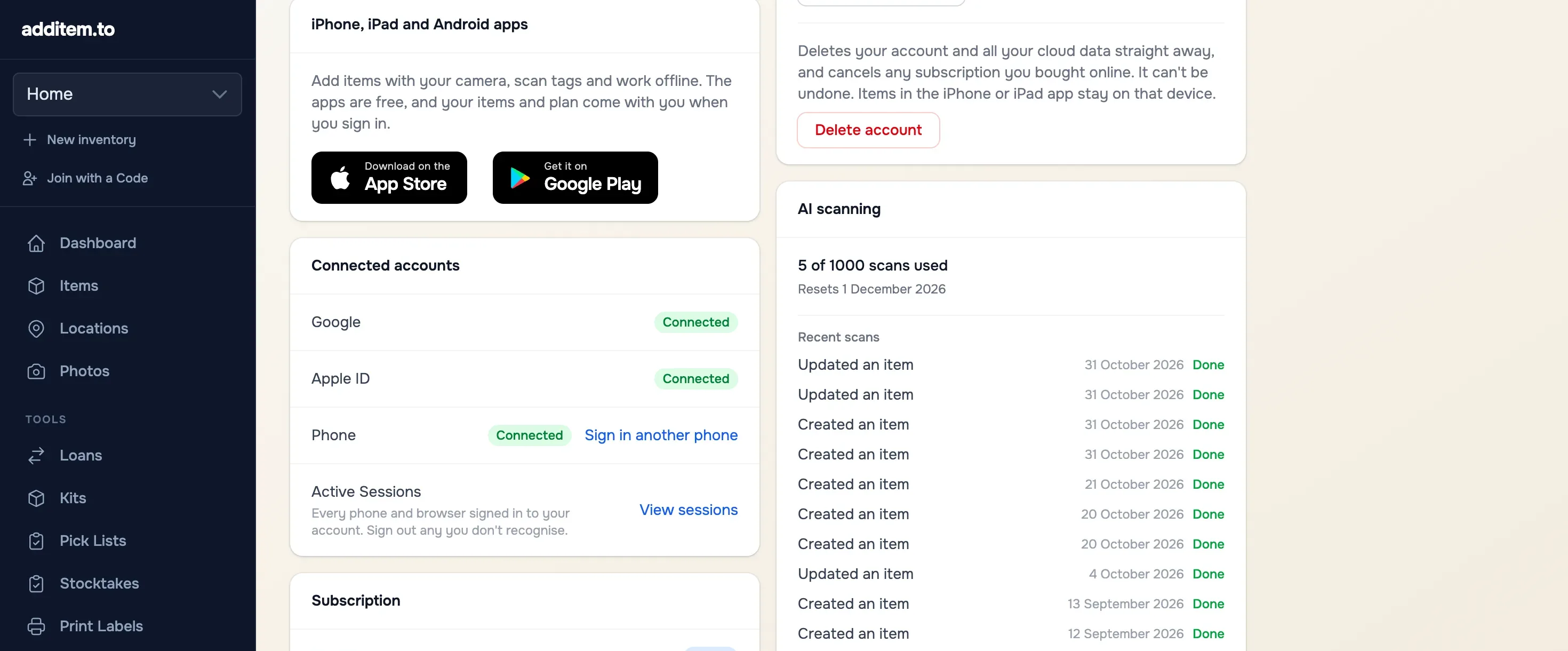
- Use Continue with Google or Connect Apple ID, and sign in with the other one.
- Sign in on your other phone. On Android, open Settings and tap Sign in with Google, using the Google account you just connected. On iPhone, open Settings and tap Sign in with Apple.
Sign in on the phone where you bought it
Pro Local works on the phone you bought it on without any account at all. For it to reach your other phone, it has to reach your account first. So sign in on the phone you bought it on, then connect the other sign-in as above.
What moves, and what stays
Connecting your accounts carries your plan across. Your items only move between devices with Pro Cloud, which syncs them. With Free or Pro Local, items stay on the phone you added them on, even when both phones use the same account. How sync works has the detail.
If the other sign-in already has an account
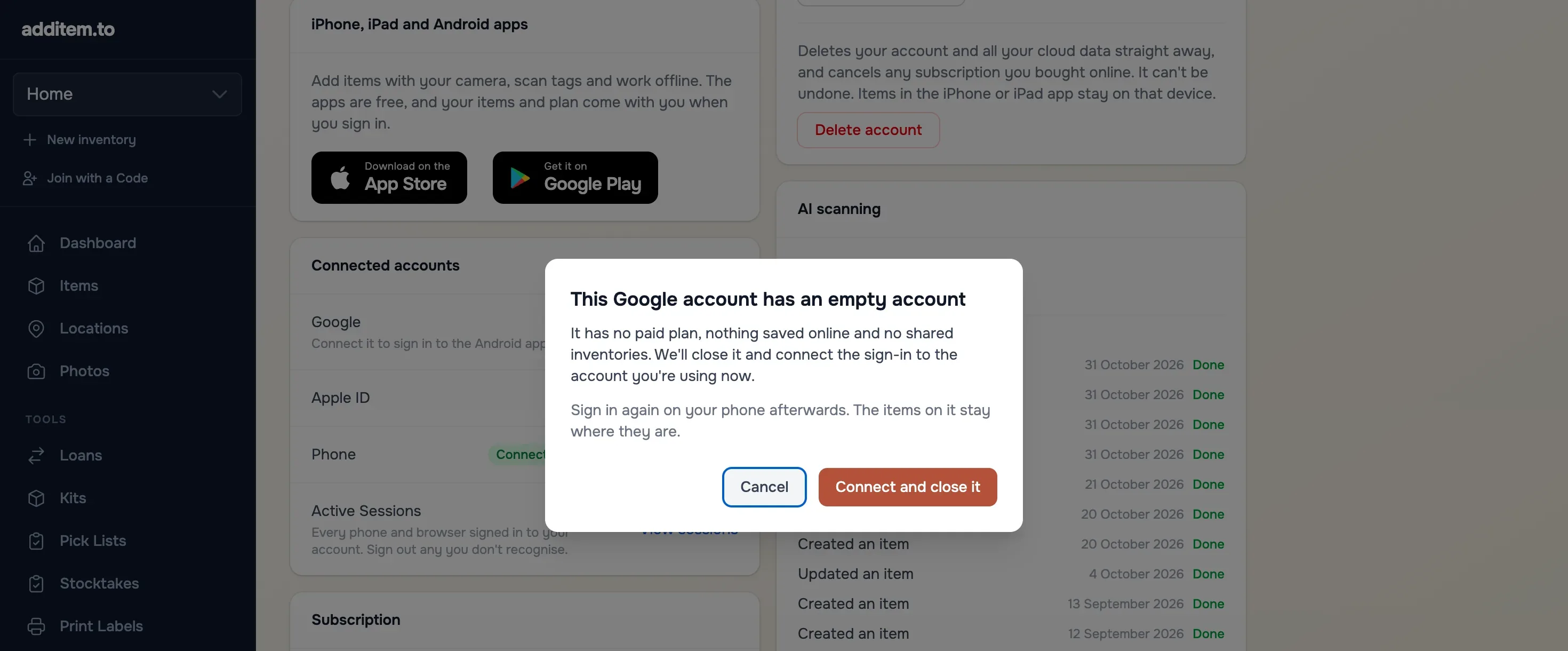
If you signed in on your other phone, or on the web, before connecting, that sign-in already has an account of its own. When you connect it, we look at both accounts. If one of them has no paid plan, nothing saved online and no shared inventories, we offer to close that one and keep the other.
- The other account is the empty one. Choose Connect and close it. Then sign in again on the phone that used it. The items on that phone stay where they are.
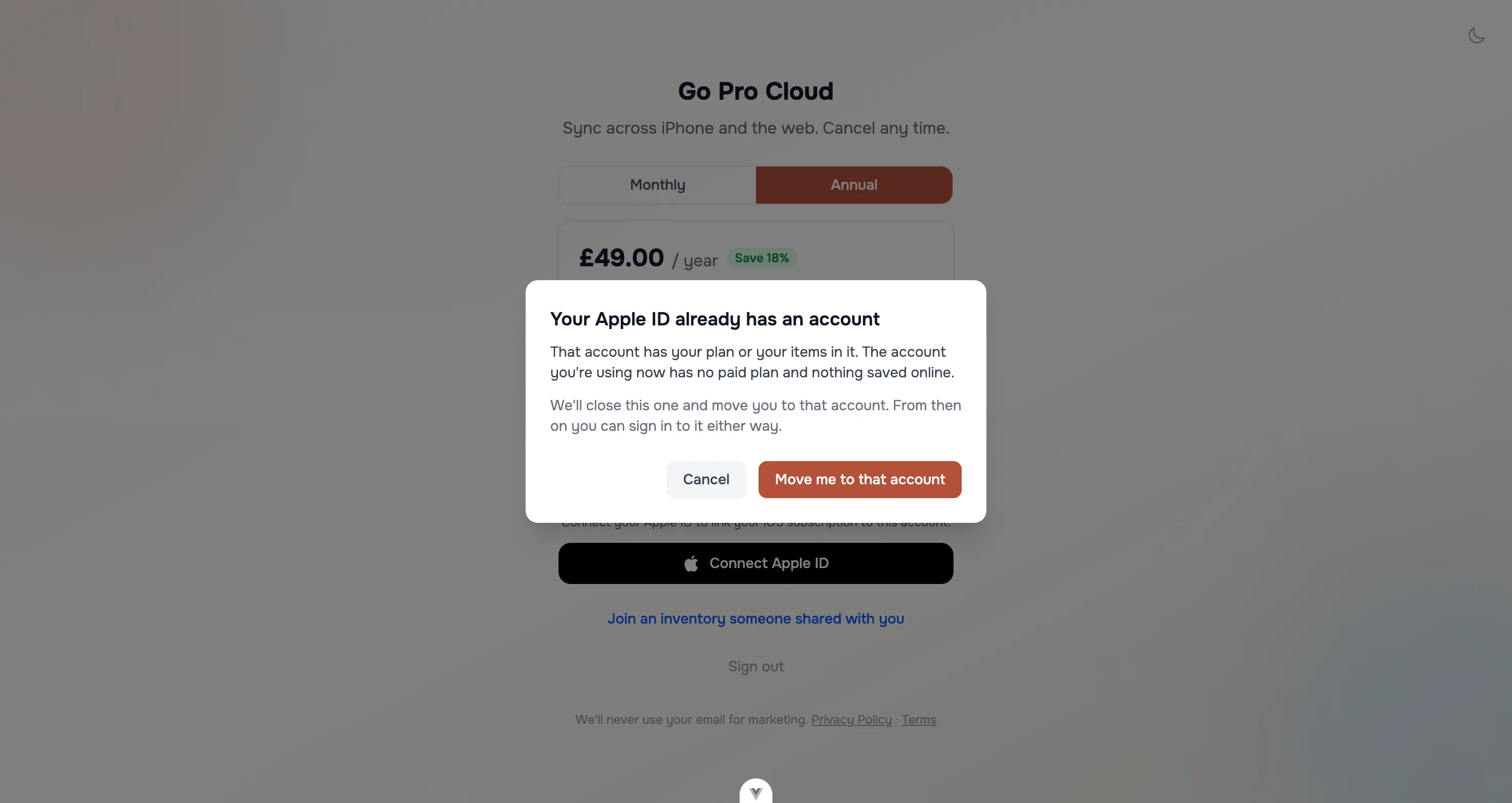
- The account you're signed in to is the empty one. This happens when you sign in on the web with the wrong button. Choose Move me to that account, and the web app moves you to the account with your plan.
The free trial that starts when you first sign in on the web doesn't count as a paid plan here, as long as you haven't added a card. If the account we close has one, the trial ends with it.
If both accounts have a paid plan, items saved online or a shared inventory, merging would lose something. We tell you which, with a link to email us, and we'll sort it out with you.
additem.to is free on iPhone and Android, and you don't need an account. One plan covers both, and the web.
Download on the App Store Get it on Google Play