Track stock: sales, use and restocks
A quantity item holds one number. This guide covers how to record what changes it, from a sale to a delivery, so you can see where your stock went and what it was worth.
Quantity items and individual items
additem.to has two kinds of item. An individual item is one thing: a drill, a painting, a laptop. A quantity item is a number of identical things kept as one row: 40 bookmarks, 200 screws, 12 bottles of glaze. If you're not sure which to use, How to organise an inventory covers the choice.
Everything in this guide is about quantity items, because that's where a single number needs explaining. An individual item is simpler: marking it Sold or Missing counts as one sold or one lost, and it shows up in Stock History like everything else.
Record a movement with Adjust Stock
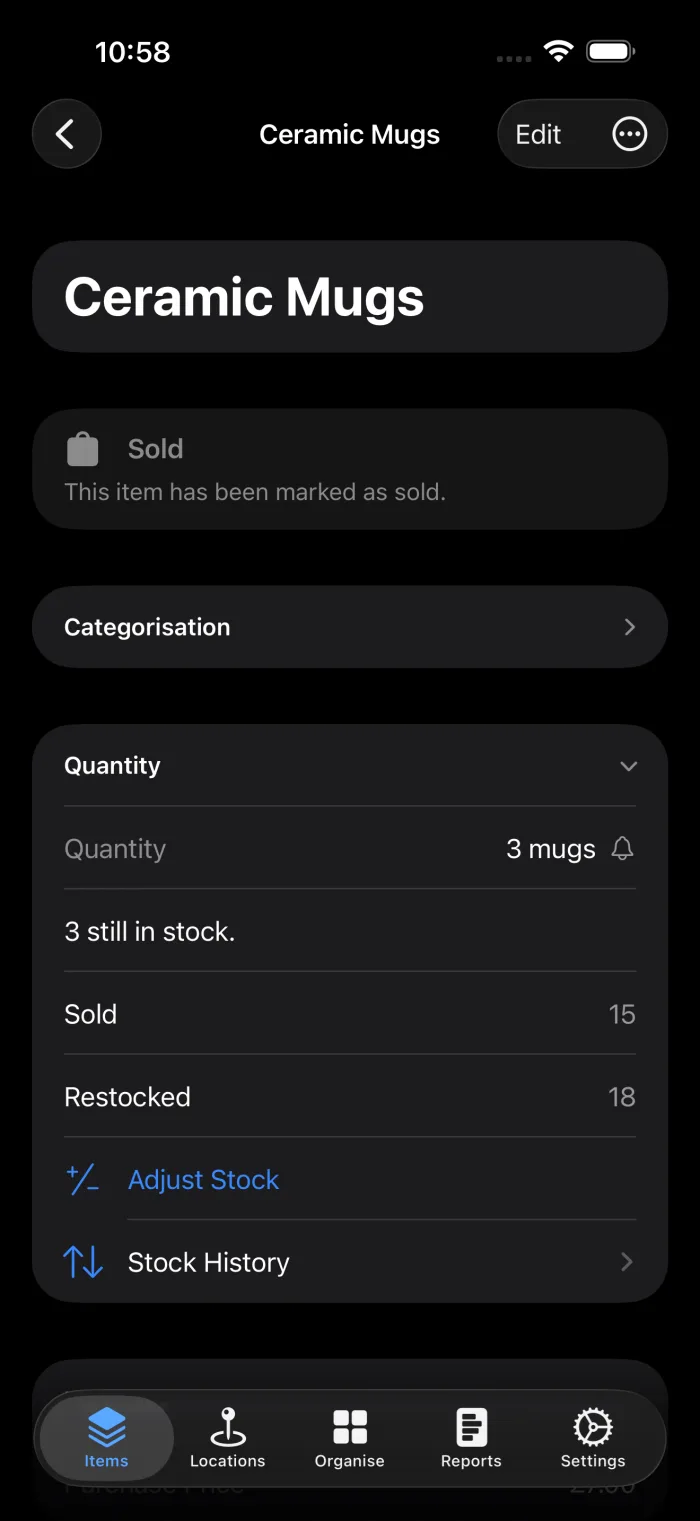
Open a quantity item and tap Adjust Stock in its Quantity section. Choose what happened, enter how many, and save. The quantity changes by that amount.
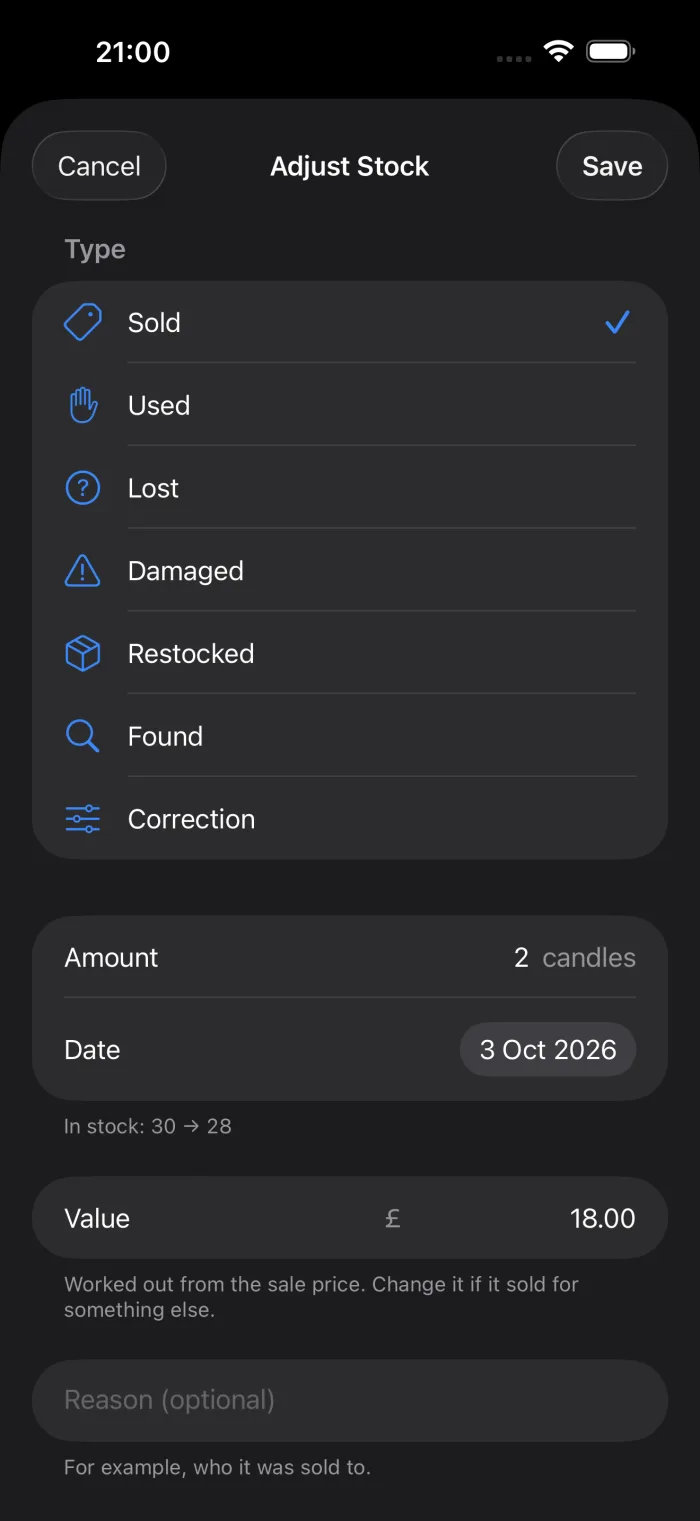
Along with the type and amount you can add:
- A date. It defaults to today, and can be set earlier if you're catching up on last week's sales.
- A reason. Who bought it, which job it went to, what happened to it.
- A value. The total money that moved. See Values below.
The app won't let stock go below zero. If you try to sell 5 when there are 3, it tells you how many are left.
The types
| Type | Stock | Use it for |
|---|---|---|
| Sold | Down | Anything sold or given in exchange for money. |
| Used | Down | Stock consumed: materials used in a job, supplies used up. |
| Lost | Down | Stock that's gone and you don't know where. |
| Damaged | Down | Stock written off because it broke or spoiled. |
| Restocked | Up | A delivery, a purchase or a new batch you made. |
| Found | Up | Stock you'd written off as lost and turned up again. |
| Correction | Either | Fixing a count that was wrong. It asks whether to add or remove. |
| Picked | Down | Recorded for you when a pick list is completed. It isn't offered in Adjust Stock. |
What the item shows
Once an item has movements, its Quantity section shows a total for each type alongside the stock on hand: Sold 12, Restocked 40. Corrections aren't totalled there, because they fix a number rather than describe where stock went.
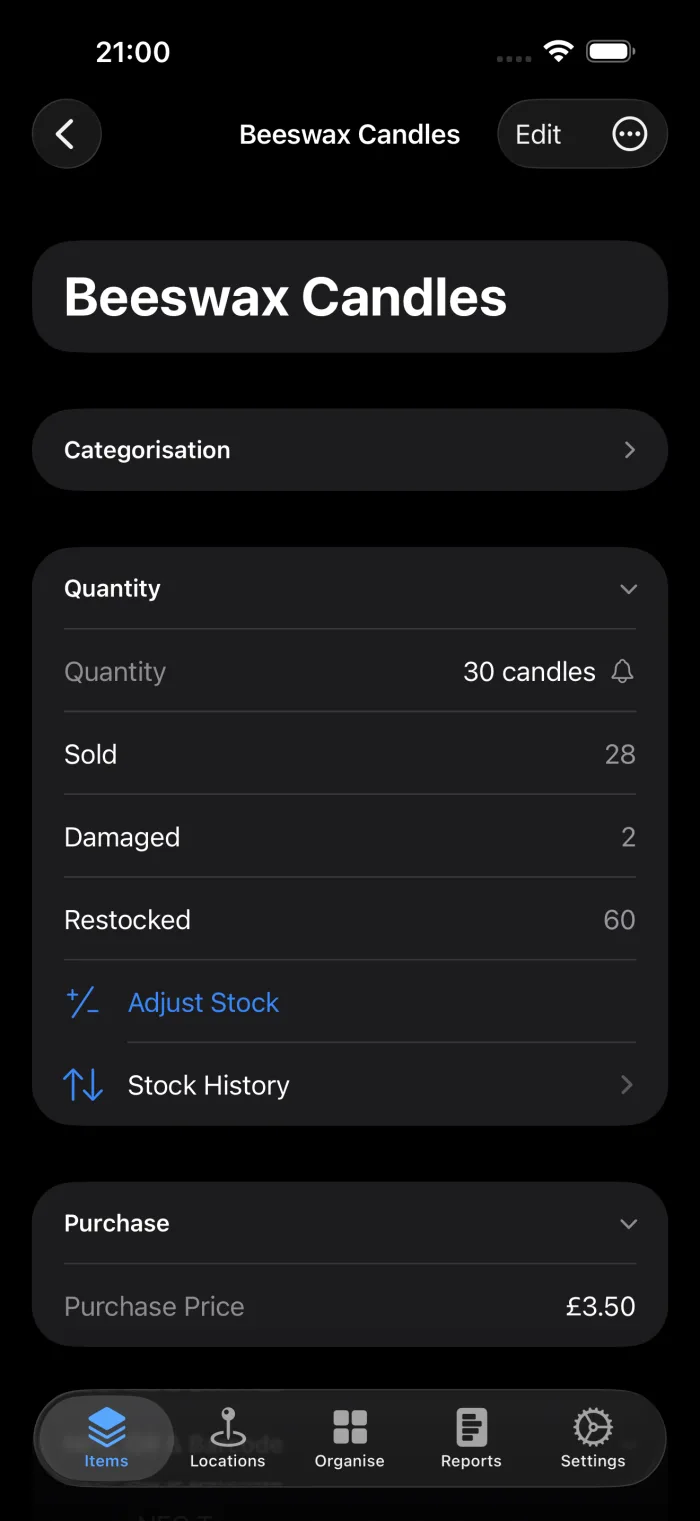
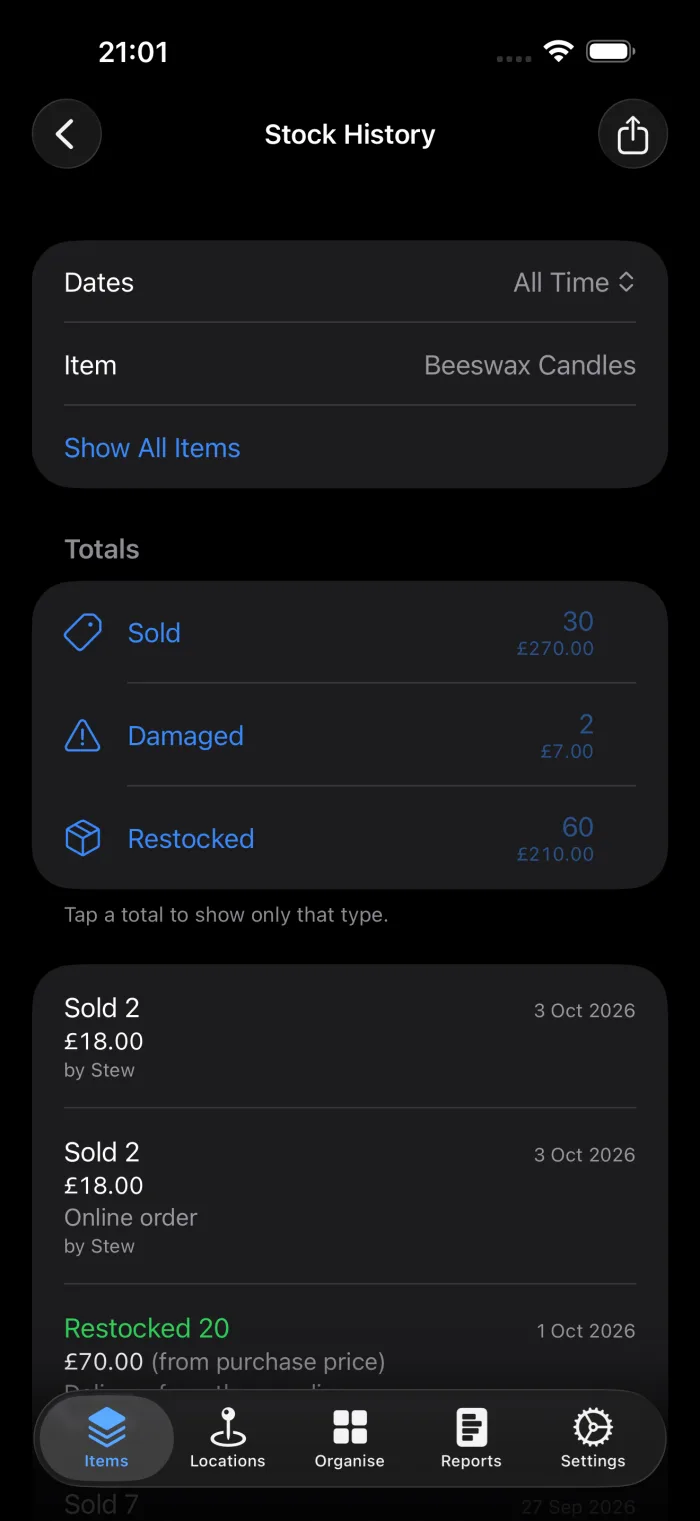
There each movement reads as what happened, such as "Sold 2", with its value and the reason underneath, and the totals at the top cover just this item.
Values
A value is the total money that moved with a movement: what a sale brought in, what a delivery cost, what a damaged batch was worth. It's optional, and it's worth recording if you want to know what you've sold or written off over a month or a year.
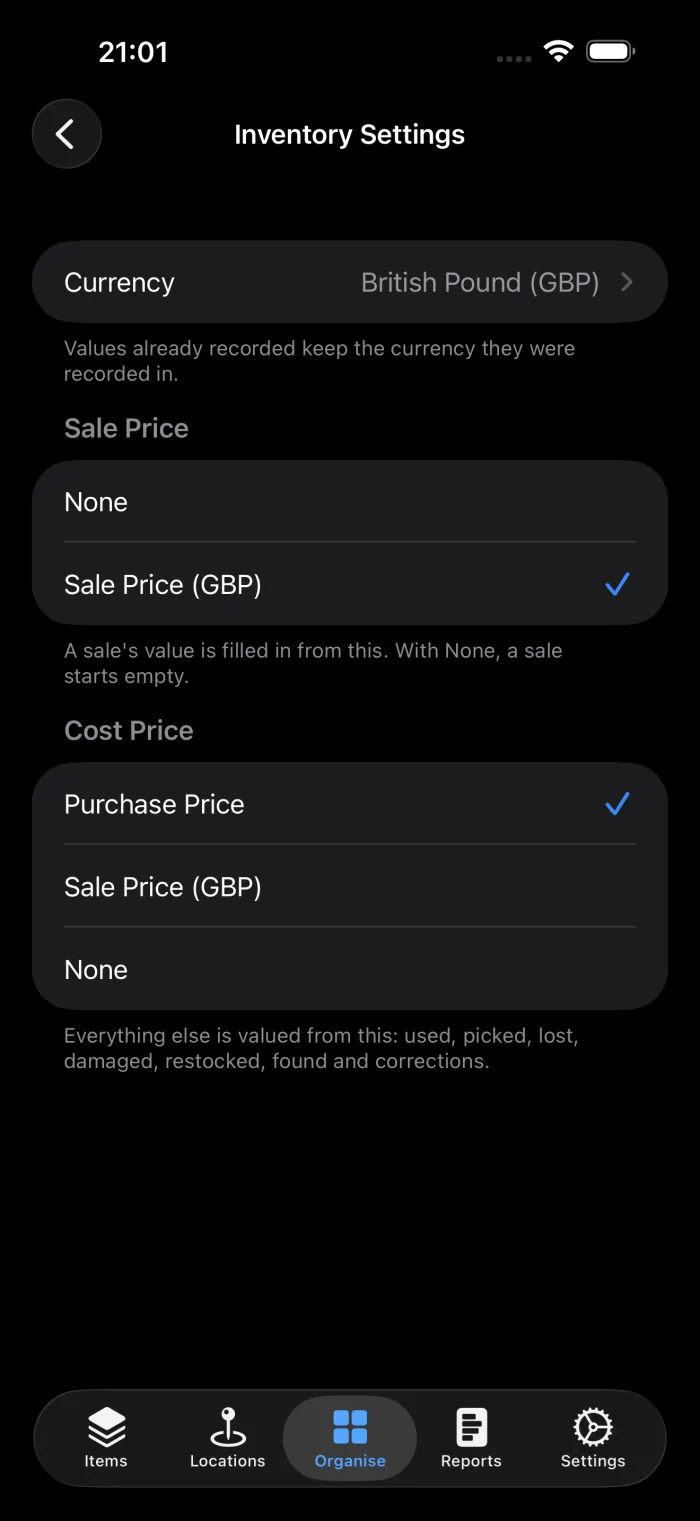
You rarely need to type it. Each inventory has two settings in Organise, Inventory Settings:
- Sale price fills in the value of a sale. Choose one of your Currency custom fields, such as a "Sale Price" or "RRP" field. With None, a sale starts empty and you type what it fetched.
- Cost price fills in everything else: used, lost, damaged, restocked, found and corrections. It's the item's purchase price unless you choose a field.
A value is fixed when you record it. If you sell two for £25 today and raise the price next month, that sale still reads £25, on every device. It also keeps the currency it was recorded in, so changing an inventory's currency later doesn't restate old figures.
Values the app works out are marked as coming from the purchase price, so you can tell an estimate from a figure someone typed.
Stock History
Reports, Stock History lists every movement in the inventory, newest first. At the top is a total for each type, with the money beside it where values were recorded.
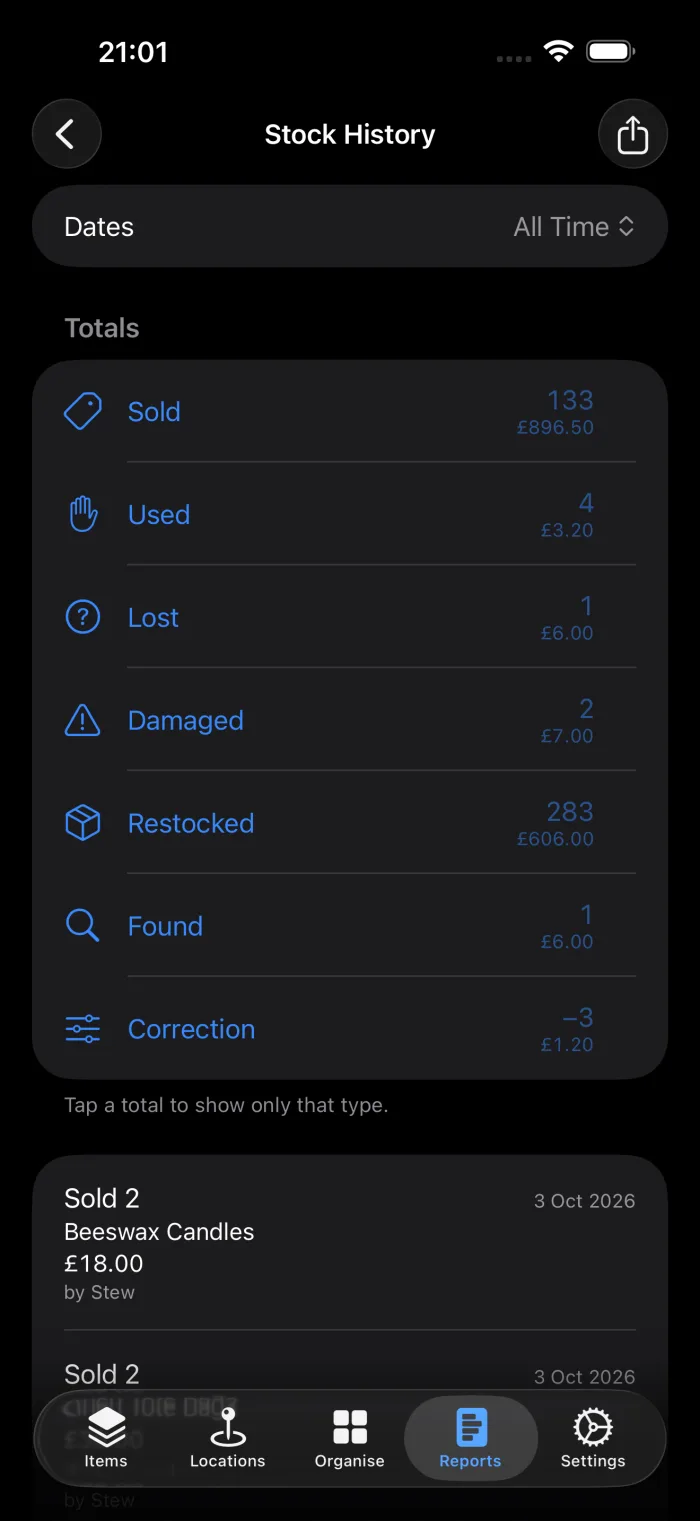
The totals are also the filter. Tap Sold to see only sales, and tap it again to see everything. The totals stay put while you do, so you can move straight from one type to another.
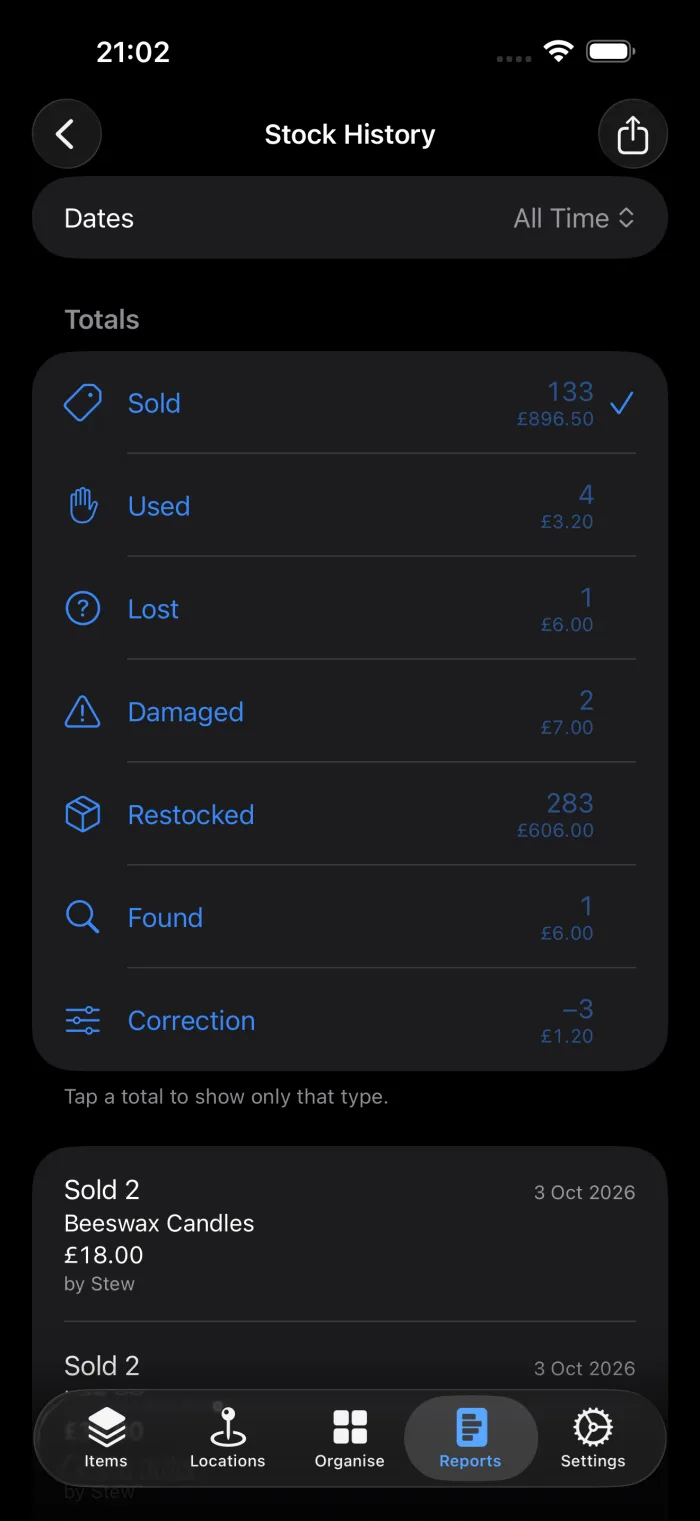
You can also choose a date range (today, the last 7 or 30 days, this month, this year or your own dates) and search by item name. Tapping a row opens its item.
To take the figures elsewhere, export them as a CSV file. The export has every row the filters match, not just the ones on screen, with these columns: Date, Item, Item ID, Type, Amount, Reason, By, Value, Currency and Value Basis.
Things that record stock for you
Not every change goes through Adjust Stock. These are recorded too, so Stock History accounts for every change to a quantity:
- Editing the quantity on the item form records a correction.
- Ending a stocktake records a correction for each count you apply.
- Completing a pick list records the stock taken as picked.
- Marking an individual item Sold or Missing records one sold or one lost, and clearing it records it coming back.
Marking a quantity item Sold or Missing is different. On a quantity item the status describes the item as a whole, so it doesn't change the count. If there's stock left, the item offers to record it.
History from before this feature arrived is included as well, valued at today's purchase price where an item has one.
On the web
With Pro Cloud, the web app at app.additem.to has the same tools: Adjust Stock on an item, Stock History under Reports with the same filters and CSV export, and the sale and cost price settings in Inventory Settings.
additem.to is a free iPhone app for tracking what you own and what you sell. Record stock as it moves, value it, and see every movement in one report.
Download on the App Store